For well over a year now, Pinterest has been extremely popular for both businesses and for personal users. For many brands, it’s been a game changer and a way to revamp a dull or forgotten brand. It’s also been a great tool for companies to show their personality to their customers, creating way for new brand evangelists.
Since Pinterest has gained popularity, the platform has hardly changed or had a significant face-lift.
Starting in January, Pinterest began testing out a new look that is simpler, cleaner and will be able to cross over to mobile in a more efficient way.
Overall, the biggest change to Pinterest we like here at TBA is the website is now easier to navigate and the pictures are much larger than before.
Below you can view some of the changes Pinterest recently made.

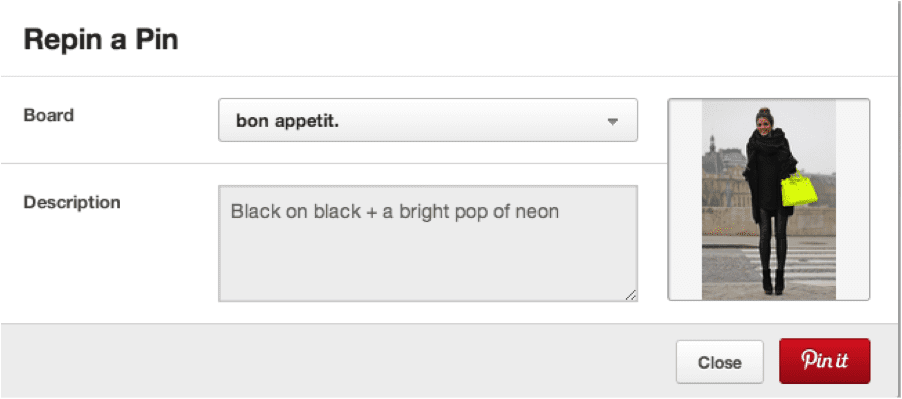
Pinterest has made it easier to repin and has made the repin window much larger, sleeker and more modern.
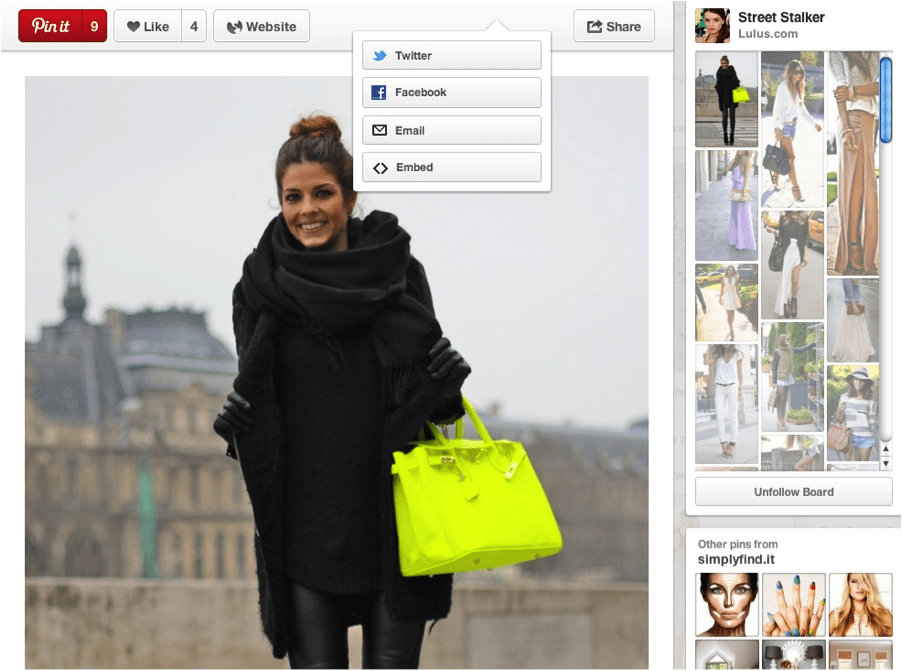
The new format also allows you to go to the website to where the original photo came from in an easier way. This will help on a personal account if you want to purchase a product or find out more information about a product that you see.
On the photo below, notice the social media and email dropdown list that now comes down when you pin something to your wall. Pinterest wants you to share your pins with others on other social media platforms and are encouraging the sharing of pins.
Another big change is you can now view the pinboard this particular pin came from to the right of the pin.
Now, if you want to search for something in particular, you will find the search button on the upper left hand corner. Previously, the search button and topics were in the center of the page.
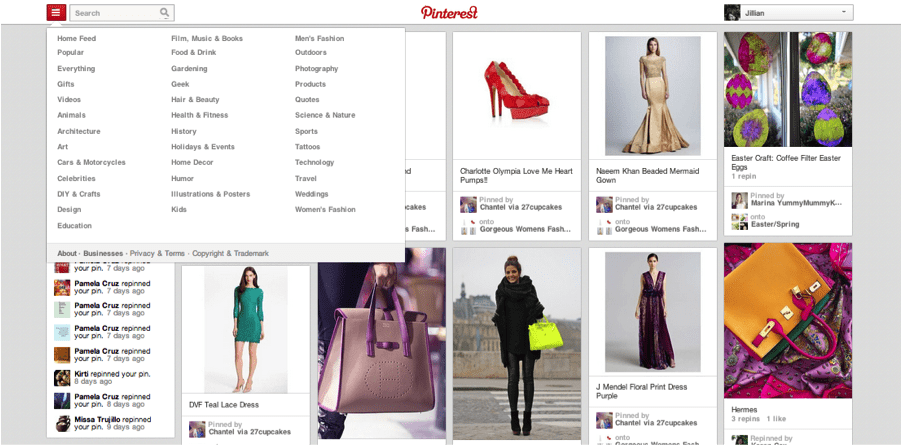
Next, Pinterest has changed the look of a person’s individual homepage. The amount of pins per board was taken away. Pinterest has also made it easier to create a board by adding it to the top left corner of the page. You can still add pins to a secret board by scrolling to the very bottom of your personal homepage.

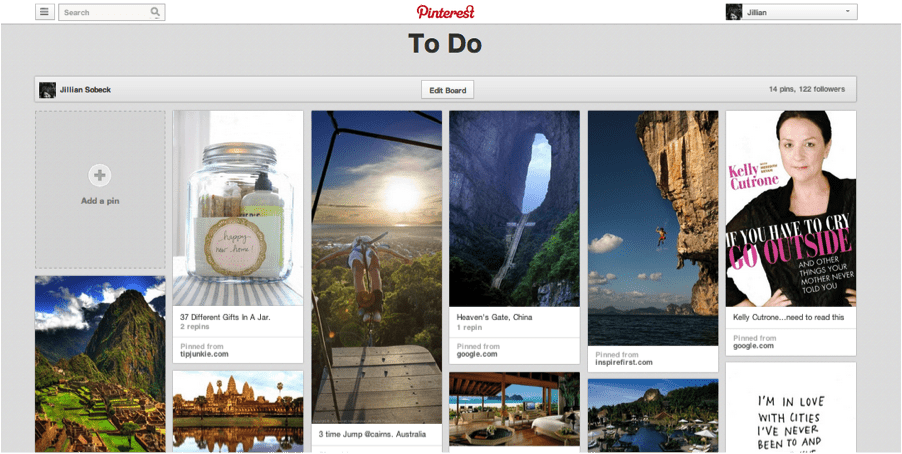
Below is an example of how a board now looks when you click on it. It’s now easier than ever to add a pin by clicking on “add a pin” on the top left corner of the page.
Tell us your thoughts on the recent changes made to Pinterest. Do you think it’s an improvement? Or do you prefer the old style?
By subscribing to our newsletter, you agree to our Privacy Policy.